
Teleprompter Mastery: Delivering Scripts Like a Pro
Transform your on-camera delivery from amateur to professional. Master teleprompter techniques that make scripted content feel spontaneous and authentically engaging.
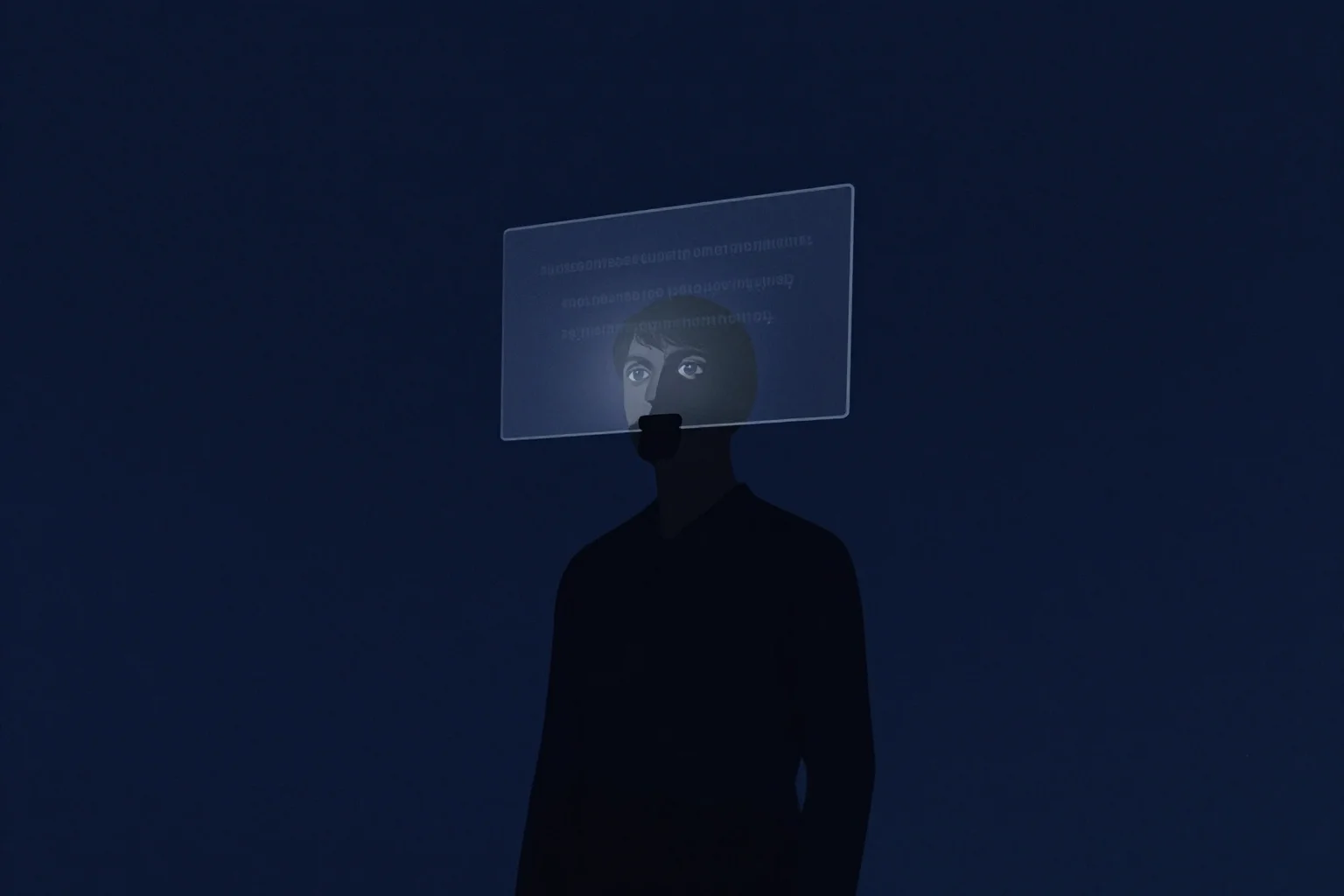
The teleprompter is both a blessing and a curse. Used poorly, it creates robotic delivery that screams “scripted.” Used masterfully, it frees you to focus on performance while maintaining perfect content. The difference isn’t the equipment - it’s the technique. News anchors, politicians, and elite YouTubers all use teleprompters, but only the professionals make it invisible. This comprehensive guide reveals the complete teleprompter system, from equipment setup and software configuration to delivery techniques that make scripted content feel spontaneous. You’ll learn how to maintain eye contact, vary your vocal delivery, add authentic gestures, and avoid the telltale signs of prompter use that scream “amateur” to sophisticated viewers.
Executive Summary
Teleprompter mastery separates hobbyist creators from professional performers. This guide covers the complete technical and performance system: choosing the right equipment, configuring software for optimal readability, formatting scripts for delivery, and executing performance techniques that maintain authenticity. You’ll learn how to read ahead while speaking, how to add natural pauses and emphasis, how to handle mistakes gracefully, and how to prepare scripts specifically for prompter delivery. By the end, you’ll have a professional teleprompter workflow that makes your scripted content feel effortlessly natural while ensuring you never miss a key point or forget important information.
First Principles: Why Teleprompters Matter
Understanding the teleprompter’s value helps you use it correctly.
The Working Memory Problem
The human working memory holds 5-9 items simultaneously. Complex scripts exceed this limit. Teleprompters offload the memory burden, freeing cognitive resources for performance.
The Authenticity Paradox
Counterintuitively, teleprompters can increase authenticity. Without them, creators focus on remembering what to say. With them, creators focus on how to say it - emotion, emphasis, connection.
The Consistency Guarantee
Live delivery varies. Prompter delivery ensures key points are always made, statistics are always accurate, and CTAs are always included.
The Efficiency Multiplier
Professionals using teleprompters record 3-5x faster than memorization or notes methods. Fewer retakes, less editing, higher quality.
Equipment Selection: The Complete Setup
Choosing the right gear is foundational to success.
The Hardware Options
Option 1: Smartphone/Tablet Apps ($0-50)
- Apps: PromptSmart Pro, Parrot Teleprompter, Teleprompter Premium
- Pros: Portable, affordable, familiar interface
- Cons: Limited screen size, requires separate device
- Best for: Beginners, mobile creators, budget-conscious
Option 2: Entry-Level Teleprompter ($100-300)
- Brands: Glide Gear TMP100, Padcaster Parrot, Ikan PT-ELITE
- Pros: Professional setup, beam splitter glass, camera integration
- Cons: Requires separate monitor/tablet, setup time
- Best for: Serious creators, home studios, frequent use
Option 3: Professional Teleprompter ($500-2000)
- Brands: Prompter People, Autocue, Mirror Image
- Pros: Pro-grade glass, motorized stands, multiple monitor support
- Cons: Expensive, requires dedicated space
- Best for: Full-time creators, multi-person teams, broadcast quality
Option 4: Software-Only with Existing Monitor ($0-100)
- Software: PromptDog, iCue, PowerPoint with animation
- Pros: Uses existing equipment, highly customizable
- Cons: Requires DIY mounting, may look less professional
- Best for: Tech-savvy creators, existing equipment users
The Essential Specifications
Glass Quality:
- Beam splitter glass (70% transmission/30% reflection)
- Anti-reflective coating essential
- Size: Minimum 10” diagonal for comfortable reading
- Distance: 10-15 feet from talent optimal
Monitor Requirements:
- High contrast ratio (3000:1 minimum)
- Brightness adjustable (for different lighting)
- Resolution: 1080p minimum, 4K preferred
- Size: 15-24” optimal
Mounting System:
- Stable, vibration-free
- Height adjustable
- Quick release for camera access
- Compatible with your camera/lens combination
Software Features to Prioritize
Must-Have Features:
- Variable scroll speed (manual or voice-controlled)
- Mirror text (for beam splitter)
- Customizable font and size
- Remote control capability
- Script management (import, edit, organize)
Nice-to-Have Features:
- Voice recognition (scrolls when you speak)
- Multiple prompter support
- Cloud sync across devices
- Telestrator/annotation
- Recording integration
Script Formatting for Teleprompter
How you format the script determines how natural the delivery feels.
Font and Size Guidelines
Font Selection:
- Sans-serif fonts (Arial, Helvetica, Calibri)
- 48-72pt for 15-24” monitors at 10-15 feet
- Test readability at recording distance
- High contrast (white text on black or black on white)
Line Length:
- 8-12 words per line maximum
- Break at natural pauses
- No hyphenation
- One sentence per line (mostly)
Spacing:
- Double-spaced lines minimum
- Triple-spaced between paragraphs
- Extra space before emphasis points
- Clear section breaks
The Formatting Rules
Rule 1: Break at Breaths Place line breaks where you’d naturally pause to breathe.
First draft: “Today I’m going to show you the three mistakes that are destroying your channel and how to fix them immediately.”
Prompter format: “Today I’m going to show you
the three mistakes
that are destroying your channel
and how to fix them immediately.”
Rule 2: Emphasis Markers Use formatting to indicate delivery cues:
- ALL CAPS for emphasis
- Italics for softer moments
- [BRACKETS] for stage directions
- → ARROWS → for pointing or gestures
- … for pauses
Example: “Here’s the thing…
[slow down]
This ONE setting
is costing you
EIGHTY percent
of your views.”
Rule 3: Paragraph Breaks Break every 3-5 lines into paragraphs:
- Major topic shifts
- Before examples
- Before important points
- For visual variety
Rule 4: Pronunciation Guides Add pronunciation for difficult words: “The algorithm (AL-go-RITH-um) doesn’t work the way you think.”
Rule 5: Cue Notes Mark where visuals/B-roll should appear: “[SHOW SCREEN RECORDING]
Now look at this setting…”
The Prompter-Specific Script
Rewrite your script specifically for prompter delivery:
Original: “The three-act structure divides content into Setup, Confrontation, and Resolution - each serving specific psychological functions that sustain attention.”
Prompter Version: “The three-act structure
has three parts.
First: Setup.
Second: Confrontation.
Third: Resolution.
Each part
serves a psychological function.
Together,
they sustain attention.”
Principles:
- Shorter phrases
- More line breaks
- Simpler vocabulary
- Clear progression markers (First, Second, Third)
Reading Technique: The Professional Method
How you read matters as much as what you read.
The Triangle Method
Professional teleprompter operators read in a triangle pattern:
- Read the line currently being spoken (bottom of triangle)
- Preview the next line (middle of triangle)
- Scan ahead 2-3 lines (top of triangle)
This allows continuous flow without stumbling.
The Speed Control
Default Speed: Comfortable reading pace Slow Down: For emphasis, complex concepts, or statistics Speed Up: For lists, transitions, or less critical information Pause: At punctuation, section breaks, or for effect
Control speed using:
- Remote control (foot pedal or handheld)
- Voice recognition (if supported)
- Manual speed adjustment
- Pre-programmed speed changes in software
The Look-Ahead Principle
Always be reading 2-3 words ahead of what you’re saying.
Current word: “Today” Looking at: “I’m going to show you”
This prevents the “deer in headlights” look of someone reading word-by-word.
The Eye Movement Minimization
Keep eye movements subtle:
- Move eyes, not head
- Small saccades (quick jumps) between lines
- Return to center between paragraphs
- Practice until movement is invisible
The Peripheral Vision Use
Train yourself to use peripheral vision:
- Focus on center of screen
- See next 2-3 lines in periphery
- Reduces eye movement
- Creates more natural gaze
Performance Techniques: Making It Natural
Reading technique gets you through the script. Performance technique makes it engaging.
The Vocal Variety System
Pitch Variation:
- Lower pitch for authority, seriousness
- Higher pitch for excitement, questions
- Record test: Say same sentence at different pitches
Pace Variation:
- Slow for importance, emotion, statistics
- Fast for excitement, lists, transitions
- Pause for emphasis, processing, effect
Volume Variation:
- Louder for emphasis, excitement
- Softer for intimacy, secrets, emotion
- Consistent for information delivery
Example: Script: “This one mistake is costing you everything.”
Delivery:
- “This one mistake” (slight pause, building tension)
- “is costing you” (lower volume, intimate)
- “everything” (emphasis, slight pause after)
The Pause Strategy
Strategic pauses feel natural, not awkward:
- Processing Pause: After complex information (“This means… [pause]… you need to change your approach.”)
- Emphasis Pause: Before important points (“Here’s what matters… [pause]… the hook.”)
- Transition Pause: Between major sections (section break = 2-3 second pause)
- Reacting Pause: As if thinking (“You might be wondering… [pause]… is this ethical?”)
The Rule: Never pause longer than 3 seconds without purpose.
The Gesture Integration
Planned gestures feel natural:
- Counting: Show numbers on fingers when listing
- Sizing: Use hands to show scale (“It was THIS big”)
- Pointing: Gesture to where graphics will appear
- Emphasis: Hand movements on key words
- Open Palms: Show honesty and openness
Integration: Mark gestures in script: “There are THREE reasons [show three fingers] this works.”
The Eye Contact Illusion
Maintaining viewer connection while reading:
- Look at the prompter, but imagine looking at a person
- Glance at camera occasionally (if prompter is below lens)
- Use teleprompter glass at lens level (true eye contact)
- Practice until reading feels like conversation
Advanced: Some pros read slightly above/below the actual text to maintain eye contact with lens while seeing text in periphery.
The Authenticity Markers
Add elements that feel unscripted:
- React to yourself: “Wait, let me explain that better…”
- Acknowledge mistakes: “I said that wrong - what I mean is…”
- Add spontaneous asides: “This reminds me of… [brief story]”
- React to visuals: “Look at that number - unbelievable.”
- Self-deprecate: “I know, I should have figured this out sooner.”
The Key: Script some spontaneity. Add 3-5 “unscripted” moments per video.
Common Teleprompter Problems and Solutions
Problem 1: The Robotic Delivery
Symptoms: Monotone, no variation, clearly reading Causes: Reading too slowly, no performance practice, fear of mistakes Solutions:
- Increase scroll speed slightly
- Practice vocal variety before recording
- Add “stage directions” to script
- Record test segments and review
Problem 2: The Eye Dart
Symptoms: Eyes moving side-to-side, reading line by line Causes: Reading too slowly, poor formatting, lack of practice Solutions:
- Increase scroll speed
- Reformat with shorter lines
- Practice triangle reading method
- Use larger font size
Problem 3: The Rushed Delivery
Symptoms: Speaking too fast, no pauses, breathless Causes: Scroll speed too fast, anxiety, trying to “get through it” Solutions:
- Slow down scroll speed
- Add explicit [PAUSE] markers to script
- Practice breathing techniques
- Use speed control remote
Problem 4: The “Reading Voice”
Symptoms: Different tone than natural speaking, formal/flat Causes: Focusing on reading not performing, script too formal Solutions:
- Rewrite script in conversational language
- Practice performance before recording
- Record audio-only practice
- Add personality markers to script
Problem 5: The Lost Place
Symptoms: Losing spot in script, long pauses, starting over Causes: Reading too fast, not looking ahead, software issues Solutions:
- Slow down and read ahead
- Use backup remote/pedal
- Add more paragraph breaks
- Practice the triangle method
Problem 6: The Glass Glare
Symptoms: Reflections in prompter glass visible in video Causes: Lighting angle, glass quality, improper setup Solutions:
- Adjust lighting angle (45 degrees minimum)
- Use anti-reflective glass
- Add flags/barn doors to lights
- Position prompter correctly
Advanced Techniques
The Dual-Prompter Setup
For interviews or two-person content:
- Two prompters at 45-degree angles
- Each talent sees their own script
- Allows natural eye contact between talent
- Professional broadcast standard
The Confidence Monitor
Additional monitor showing:
- Script in normal (not mirrored) text
- Current time/time remaining
- Next section preview
- Notes or changes
Allows operator to help talent without talent looking away.
The Speed Mapping
Pre-program speed changes:
- Slow for intro hook
- Normal for body content
- Slow for key statistics
- Pause at CTAs
- Speed up for credits/outro
Some software allows speed automation tied to script markers.
The Interruption Recovery
When interrupted or making mistakes:
- Stop speaking (don’t try to recover mid-sentence)
- Pause scroll
- Find your place in script (2-3 lines back)
- Back up visually to natural restart point
- Resume from there
- Edit the jump in post
Pro Tip: Always backup 5-10 seconds when resuming. Easier to edit.
The Improvisation Anchors
Script specific points where you’ll improvise: “[IMP: Tell personal story about first video failure]” “[IMP: React to this statistic]” “[IMP: Add current event reference]”
This creates structure while allowing spontaneity.
Pre-Recording Preparation
The Rehearsal Process
Technical Rehearsal (30 minutes):
- Test all equipment
- Set scroll speed
- Practice speed control
- Mark any technical issues
Performance Rehearsal (60 minutes):
- Read through entire script aloud
- Practice vocal variety
- Rehearse gestures
- Time the full read
- Note difficult passages
Final Run-Through (30 minutes):
- Full dress rehearsal
- Record test segment
- Review for issues
- Make final adjustments
The Warm-Up Routine
Physical Warm-Up (5 minutes):
- Neck rolls and stretches
- Jaw exercises (say “red leather, yellow leather”)
- Breathing exercises (4-7-8 technique)
- Shoulder rolls
Vocal Warm-Up (10 minutes):
- Lip trills
- Humming scales
- Tongue twisters
- Volume exercises (quiet to loud)
Mental Preparation (5 minutes):
- Review key points
- Visualize successful delivery
- Set intention for energy level
- Take three deep breaths
The Recording Session Workflow
Setup (15 minutes):
- Load script into prompter
- Test scroll speed
- Check camera framing
- Verify lighting
- Test audio levels
- Mark script with notes
Recording Blocks (varies):
- Record in sections (3-5 minutes each)
- Break between sections for reset
- Note retake requirements
- Keep energy consistent
Quality Control (ongoing):
- Review each take immediately
- Check for prompter tells
- Verify eye contact
- Confirm audio quality
- Note editing needs
Wrap (15 minutes):
- Final backup of all takes
- Note any technical issues
- Plan editing approach
- Organize files
Post-Recording Review
The Self-Review Checklist
Watch your recording and check:
- Eye movement is minimal
- Vocal variety is present
- Pacing feels natural
- Gestures look organic
- No obvious prompter tells
- Energy level consistent
- All key points delivered
- CTAs are strong
The Telltale Signs of Prompter Use
Look for and eliminate:
- The Reading Rhythm: Even, metronomic pace
- The Eye Dart: Rapid side-to-side eye movement
- The Downcast Gaze: Looking below camera
- The Monotone: Flat, unvarying delivery
- The Head Bob: Moving head to follow text
- The Phrase Chase: Always slightly behind scroll
If present: Adjust scroll speed, reformat script, practice more.
Equipment Maintenance
Daily Maintenance
- Clean glass with microfiber cloth
- Check all connections
- Test scroll speed
- Verify remote battery
Weekly Maintenance
- Deep clean glass
- Update software
- Organize scripts
- Check mounting hardware
Monthly Maintenance
- Professional glass cleaning
- Firmware updates
- Equipment inspection
- Backup script library
AutonoLab: Prompter Integration
Coordinating prompter use with content creation requires systematic support.
Script-to-Prompter Converter
Upload your standard script, and AutonoLab:
- Reformats for optimal prompter display
- Adds line breaks at natural pauses
- Inserts [PAUSE] and [EMPHASIS] markers
- Creates pronunciation guides
- Suggests gesture cues
- Estimates timing
This transforms standard scripts into prompter-ready documents instantly.
Performance Analysis
Upload your recording, and AutonoLab analyzes:
- Prompter tells (eye movement, reading rhythm)
- Vocal variety (pitch, pace, volume)
- Pacing and pause usage
- Energy level consistency
- Comparison to prompter script
This identifies specific areas for improvement.
Prompter-Friendly Script Templates
Access templates pre-formatted for prompter:
- Tutorial template with visual cues
- Review template with timing markers
- Story template with emotion notes
- Challenge template with daily breaks
These ensure your scripts are prompter-ready from the start.
Scroll Speed Calculator
Based on your natural speaking pace:
- Calculates optimal scroll speed
- Suggests speed variations for emphasis
- Accounts for word count and complexity
- Adjusts for your specific prompter distance/size
This removes guesswork from speed setting.
The Professional Mindset
Teleprompter as Tool, Not Crutch
The prompter serves your performance - it doesn’t replace it. You’re still the creator. The prompter just handles memory so you can focus on connection.
The Practice Imperative
Professionals don’t expect to be good immediately. They practice:
- Daily reading practice (10 minutes)
- Weekly performance rehearsal (full scripts)
- Monthly technique review
- Quarterly equipment upgrades/changes
The Continuous Improvement
Track metrics:
- Recording time vs. final video length
- Number of retakes required
- Viewer comments on delivery
- Your own assessment of naturalness
Use data to improve.
Checklist: Teleprompter Recording Quality Assurance
Pre-Recording
- Equipment tested and functioning
- Script formatted for prompter
- Scroll speed set and tested
- Font size appropriate
- Lighting adjusted to prevent glare
- Warm-up completed
- Rehearsal done
During Recording
- Triangle reading method used
- Vocal variety maintained
- Strategic pauses included
- Gestures look natural
- Eye contact illusion maintained
- Speed adjusted as needed
- Mistakes handled gracefully
Post-Recording
- Self-review completed
- Prompter tells identified (if any)
- Retakes recorded if needed
- Delivery quality assessed
- Next session improvements noted
Technical Quality
- No glass glare visible
- Scroll speed consistent
- No technical interruptions
- All sections recorded
- Backup takes available
Conclusion: The Invisible Tool
The best teleprompter use is invisible. Viewers should never know you’re reading - they should just experience confident, clear, engaging delivery.
Master the equipment. Perfect your formatting. Practice your technique. Then forget about the prompter and focus on your audience.
The teleprompter is a tool that, when mastered, makes you more authentic, not less. It frees you to perform while ensuring you deliver. That’s the professional standard.
Your next video deserves professional delivery. Set up the prompter. Master the technique. Then create content that feels effortless because you’ve done the work to make it so.
The script is ready. The camera is rolling. The prompter is rolling.
Now perform like the pro you are.