
B-Roll Strategy: Visual Storytelling That Elevates Your Content
Master B-roll strategy for compelling YouTube content. Learn when and how to use supplemental footage, shot variety, and visual storytelling techniques that captivate audiences.
Executive Summary
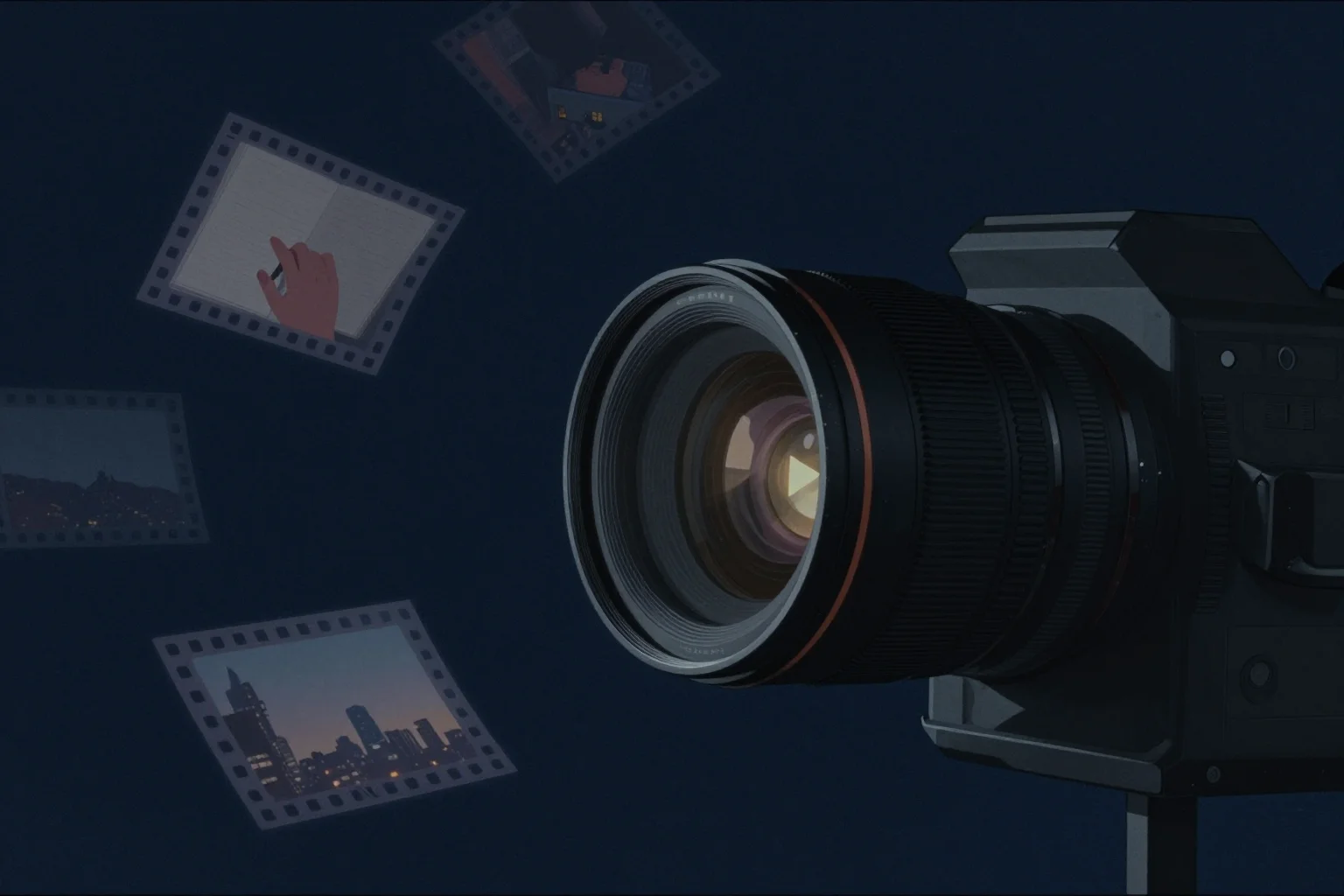
B-roll is the secret weapon that transforms static talking-head videos into dynamic, engaging visual experiences. While A-roll (your primary speaking footage) delivers information, B-roll provides context, visual interest, and emotional texture that keeps viewers watching and enhances comprehension. This comprehensive guide reveals strategic approaches to capturing and using B-roll that elevate production value without requiring expensive equipment or extensive filming time.
The most successful YouTube creators understand that audiences retain 65% of information when paired with relevant visuals compared to only 10% from audio alone. Strategic B-roll doesn’t merely decorate your content - it reinforces your message, maintains visual engagement during exposition-heavy sections, and provides the professional polish that signals authority and trustworthiness to your audience.
First Principles: What Is B-Roll and Why It Matters
B-roll originally referred to the secondary film reel in analog editing, used to cover cuts and provide visual variety. Today, it encompasses all supplemental footage that supports your primary narrative: product shots, location footage, demonstration clips, archival materials, animated graphics, and atmospheric scenes that create visual texture.
The Psychology of Visual Engagement
Human brains process visual information 60,000 times faster than text and maintain attention longer when visuals change every 3-10 seconds. Static shots of a talking head, regardless of how charismatic the speaker, trigger the brain’s pattern recognition systems to disengage. B-roll provides the visual variety that maintains cognitive arousal and prevents the “glazed over” state that causes viewers to click away.
Strategic B-roll placement creates what filmmakers call “visual punctuation.” Just as written text uses paragraphs and punctuation to organize information, videos use B-roll to signal transitions, emphasize key points, provide examples, and give viewers mental breaks from constant face-focused attention. This visual organization improves information retention and perceived production value.
Coverage Philosophy: Shooting for Editing
Professional productions shoot coverage - multiple angles, shots, and perspectives of the same subject or action - to provide editing flexibility. YouTube creators should adopt this mindset: capture more visual material than you think you need. The editing process often reveals needs you didn’t anticipate during filming, and having options prevents creative compromises.
Coverage includes:
- Wide establishing shots (context and location)
- Medium shots (action and relationships)
- Close-ups (detail and emotion)
- Extreme close-ups (texture and intimacy)
- Cutaways (reaction shots, hands, secondary details)
- Inserts (specific objects, text, demonstrations)
When demonstrating a product, for example, capture: the full product in context, your hands interacting with it, specific features in close-up, the product in use, and cutaways to your reaction. This coverage provides editing options for emphasizing different aspects of your review.
Strategic B-Roll Planning
Random B-roll collection wastes time and storage space. Strategic planning ensures every shot serves your content’s narrative and educational goals.
Script Integration and Shot Lists
Review your script or outline and identify every moment where visual demonstration would enhance understanding. Mark these as B-roll opportunities. For a product review, these might include: unboxing sequence, feature demonstrations, comparison shots, and lifestyle context. For educational content, mark moments requiring diagrams, real-world examples, or process demonstrations.
Create specific shot lists for each B-roll sequence:
- Shot description (what to capture)
- Technical requirements (lens choice, lighting needs)
- Duration estimate (how long to film)
- Audio considerations (narration timing, ambient sound)
- Location requirements (where to film)
This planning prevents the chaos of improvised shooting and ensures comprehensive coverage. It also helps estimate production time realistically - knowing you need 12 specific B-roll shots prevents the underestimation that derails filming schedules.
The Five B-Roll Categories
Organize your B-roll strategy around five functional categories:
Illustrative B-Roll directly demonstrates concepts you’re explaining. When describing software features, screen recordings serve as illustrative B-roll. When explaining physical processes, demonstration footage illustrates the steps. This category has highest priority - it serves educational purposes and justifies its screen time through utility.
Atmospheric B-Roll sets mood and context without directly illustrating specific points. Location shots, environmental details, and aesthetic footage create the “feel” of your content. Vlogs and storytelling content rely heavily on atmospheric B-roll to transport viewers into your world.
Transitional B-Roll bridges segments and provides visual rest between talking-head sections. These shots don’t need specific content connection - they simply need to be visually interesting and tonally appropriate. Use them during section breaks, topic shifts, or when you need to compress time in editing.
Cover B-Roll (also called “safety” B-roll) hides edit points in your A-roll. When you need to cut out “ums,” mistakes, or dead air in your speaking footage, cover B-roll prevents jarring jump cuts. This is essential for maintaining conversational flow while removing errors.
Reinforcement B-Roll strengthens arguments or emotional beats. When making a point about luxury, show luxury items. When discussing success, show achievements or lifestyle results. This B-roll functions as visual proof that supports your verbal claims.
Capturing Quality B-Roll
The technical approach to B-roll capture differs from A-roll filming. These techniques maximize visual impact while minimizing production complexity.
Movement Principles
Static B-roll often looks lifeless. Subtle movement adds dynamism and professional polish:
- Slow pushes: Gradually move closer to subjects to increase intimacy
- Pullbacks: Reveal wider context gradually for dramatic effect
- Parallax slides: Move laterally past foreground objects to create depth
- Gentle pans: Scan across wide subjects or reveal information progressively
Keep movement slow and deliberate. Fast, shaky movements feel amateur and distract from content. Use gimbals, sliders, or slow handheld movements for professional results. Even a gentle handheld “breathing” motion adds life to otherwise static shots.
When handheld, use the “ninja walk” - bent knees, heel-to-toe contact, absorbing impact through legs rather than torso. Hold the camera close to your body for stability. Shoot at 60fps when possible, allowing you to slow footage to 40% speed in 24p timelines for smooth, cinematic motion.
Composition and Framing
Apply the same composition principles to B-roll as to your A-roll:
- Rule of thirds: Place subjects at intersection points, not center
- Leading lines: Use natural lines to draw viewer attention to subjects
- Depth layers: Include foreground, midground, and background elements
- Negative space: Leave breathing room around subjects for text overlays
- Symmetry and patterns: Use for satisfying, aesthetically pleasing shots
Shoot multiple compositions of the same subject. A coffee cup isn’t just a coffee cup - it’s a wide environmental shot showing the café context, a medium shot of the cup on the table, a close-up of latte art, and an extreme close-up of steam rising. Each composition serves different editorial purposes.
Lighting for B-Roll
B-roll often requires different lighting than A-roll talking heads:
- Available light: Use natural light creatively - golden hour warmth, harsh midday shadows for drama, overcast softness for product shots
- Practical motivation: Ensure visible light sources explain your illumination (lamps, windows, screens)
- Quick setups: Use LED panels on camera or small stands for rapid deployment
- Consistent color: Match B-roll lighting color temperature to your A-roll to prevent jarring cuts
When shooting B-roll during different sessions than your A-roll, photograph your lighting setup or note settings to maintain consistency. Mismatched lighting between A-roll and B-roll signals amateur production and breaks immersion.
B-Roll Editing Strategy
Capturing good B-roll is only half the battle - strategic editing determines whether it enhances or distracts from your content.
The J-Cut and L-Cut Techniques
Professional editing uses audio bridges to smooth transitions between A-roll and B-roll:
- L-Cut: Audio from the A-roll continues over the B-roll footage (the shape resembles an L)
- J-Cut: B-roll audio (or A-roll audio from the next clip) starts before the video cuts (resembling a J)
These techniques prevent the jarring “cut to black” feeling of simultaneous audio/video transitions. They maintain flow while allowing visual variety. Most B-roll should use one of these techniques rather than hard cuts.
Timing and Pacing
B-roll duration depends on its function:
- Cover shots: Long enough to hide the A-roll edit (typically 2-5 seconds)
- Illustrative shots: Long enough to convey information (5-15 seconds)
- Atmospheric shots: Long enough to establish mood without dragging (3-8 seconds)
- Transitional shots: Brief visual punctuation (1-3 seconds)
Avoid leaving B-roll on screen after its purpose is served. If you’re explaining a three-step process with B-roll, cut away as soon as you move to the next step. Lingering shots bore viewers and signal editing inexperience.
Pace your B-roll to match your speaking rhythm. Fast-paced, energetic delivery pairs with quick B-roll cuts. Measured, thoughtful exposition allows longer, more contemplative B-roll shots. Mismatched pacing creates cognitive dissonance that feels uncomfortable.
Maintaining Continuity
Continuity errors - jumping time of day, changing weather, or inconsistent prop positions - destroy the illusion of seamless reality. When intercutting B-roll from different filming sessions:
- Maintain consistent lighting direction (if sun is left-to-right in A-roll, B-roll should match)
- Match color grading between A-roll and B-roll
- Ensure wardrobe and appearance consistency
- Watch for seasonal mismatches (don’t show summer B-roll with winter A-roll unless intentional)
For product reviews filmed over multiple days, shoot all product B-roll in a single session to ensure consistent lighting, then intercut with A-roll from different days. This maintains visual coherence while allowing flexible filming schedules.
Advanced B-Roll Techniques
Once you’ve mastered fundamentals, these advanced techniques add production value and creative distinction.
The Ken Burns Effect
Named after the documentary filmmaker who popularized it, the Ken Burns effect involves slow zooms and pans across static images. This technique brings life to photographs, screenshots, or documents that would otherwise sit flat on screen.
Implementation approaches:
- Software solutions: Premiere, Final Cut, and DaVinci Resolve offer automated Ken Burns effects with keyframe animation
- Manual animation: Keyframe position and scale for custom movements
- Start and end points: Always move from wide to tight or vice versa, never “wiggle” randomly
- Duration: 5-15 seconds depending on content complexity
Use this for showing documents, photographs, product stills, or screenshots where video footage isn’t available or necessary.
Speed Ramping and Time Manipulation
Varying playback speed adds dynamic interest to B-roll:
- Slow motion: 60fps footage conformed to 24fps timeline creates 40% speed for dramatic effect
- Fast motion: Time-lapse compresses long processes (clouds moving, sun setting, crowds flowing)
- Speed ramps: Gradual transitions between normal and slow/fast speed for impact
Speed changes require intentional planning during filming. For slow motion, shoot at high frame rates. For time-lapse, use intervalometers or time-lapse apps. These effects signal high production value when used appropriately.
Screen Recording and Software Demonstration
Tutorial and software review content requires specific B-roll approaches:
- Full screen captures: Show complete interface for context
- Region captures: Isolate specific features or tools
- Cursor highlighting: Use software that emphasizes cursor movement and clicks
- Zoom animations: Smooth zooms into detail areas rather than jarring jumps
- Clean interfaces: Close unnecessary windows, notifications, and personal information
Popular screen recording tools include OBS (free, powerful), ScreenFlow (Mac), Camtasia (cross-platform), and built-in solutions like Xbox Game Bar (Windows) or QuickTime (Mac). Record at high resolution (1440p or 4K) even if delivering in 1080p - this allows digital zooms in post without quality loss.
Building a B-Roll Library
Efficient creators build reusable B-roll libraries rather than capturing everything from scratch for each video.
Personal Stock Footage
Create a personal archive of high-quality footage from your life and environment:
- Lifestyle shots: Your workspace, morning routine, coffee preparation
- Location b-roll: Your city, neighborhood, favorite spots
- Seasonal footage: Each season’s unique atmospheric shots
- Process footage: Behind-the-scenes of your creative work
- Texture shots: Close-ups of materials, surfaces, natural elements
Shoot these during dedicated sessions or opportunistically when lighting and conditions are perfect. Organize by category in a searchable database (folders by theme, tagged with metadata). This library provides instant B-roll for future projects.
Stock Footage Integration
When personal B-roll can’t provide what you need, stock footage fills gaps:
- Free options: Pexels, Pixabay, Videvo offer quality footage with permissive licenses
- Paid libraries: Artgrid, Storyblocks, Shutterstock provide higher-end options
- License compliance: Always verify usage rights, especially for commercial content
- Style matching: Choose stock that matches your production quality and color grading
Use stock footage sparingly and strategically. Over-reliance on generic stock signals low effort and reduces authenticity. Blend stock with personal footage to maintain your unique visual voice.
Template and Graphic B-Roll
Animated graphics, lower thirds, and information displays serve as B-roll that doesn’t require filming:
- Motion graphics templates: Create reusable animated intros, transitions, and title cards
- Lower thirds: Professional name/title graphics that identify speakers or provide context
- Text animations: Kinetic typography that emphasizes key phrases
- Diagrams and charts: Animated data visualization
Tools like After Effects, Motion, or even Canva and PowerPoint with screen recording enable sophisticated graphic B-roll without animation expertise. Build a template library for consistent visual branding.
The AutonoLab Advantage
Strategic B-roll planning requires balancing educational clarity, visual engagement, and production efficiency - an optimization challenge that overwhelms many solo creators. AutonoLab’s intelligent content analysis platform evaluates your current B-roll usage, identifying missed opportunities where visual demonstration would enhance comprehension or where excessive B-roll disrupts narrative flow.
The platform provides specific recommendations for your content type - educational channels benefit from different B-roll strategies than vlogs or reviews. AutonoLab analyzes successful videos in your niche to identify B-roll patterns that correlate with high engagement and retention, helping you understand when audiences expect visual demonstration versus when they prefer direct-to-camera delivery.
Beyond planning, AutonoLab assists with execution - suggesting shot lists based on your scripts, optimizing B-roll duration for maximum engagement, and identifying continuity issues between A-roll and B-roll that might confuse viewers. The platform transforms B-roll from an afterthought into a strategic content enhancement tool that elevates production value while serving your educational and entertainment goals.
Implementation Checklist
Pre-Production B-Roll Planning:
- Review script and mark all B-roll opportunities
- Create specific shot list with descriptions and technical needs
- Organize B-roll into five categories (Illustrative, Atmospheric, Transitional, Cover, Reinforcement)
- Plan coverage for each subject (wide, medium, close, extreme close, cutaways)
- Note lighting and location requirements for consistency
- Estimate time requirements for B-roll capture
B-Roll Capture:
- Shoot movement (slow pushes, slides, pans) rather than static shots
- Apply composition principles (rule of thirds, depth layers, leading lines)
- Match lighting color temperature to A-roll
- Capture 60fps for slow-motion option in editing
- Shoot multiple compositions of each subject
- Maintain continuity (lighting direction, wardrobe, appearance)
Editing and Integration:
- Use L-cuts and J-cuts for smooth audio transitions
- Time B-roll duration to its specific function (cover vs. illustrative)
- Match pacing between B-roll cuts and speaking rhythm
- Maintain continuity in lighting, color, and appearance
- Apply Ken Burns effect to static images when appropriate
- Use speed ramping and time manipulation for dynamic interest
Library Building:
- Create personal stock footage archive organized by category
- Capture lifestyle, location, and atmospheric shots opportunistically
- Organize with searchable metadata and folder structure
- Curate free and paid stock footage resources for gaps
- Develop motion graphics templates for consistent branding
Conclusion
B-roll transforms YouTube content from static information delivery into dynamic visual storytelling. By understanding when and how to use supplemental footage strategically, you maintain viewer engagement, enhance information retention, and signal the professional production values that build audience trust and authority.
Master the fundamentals first: plan B-roll to serve specific narrative functions, capture comprehensive coverage with intentional movement, and edit with timing that respects audience attention spans. Then explore advanced techniques like the Ken Burns effect, speed ramping, and screen recording to develop your unique visual style.
Build a personal B-roll library that provides reusable assets across multiple projects. Invest time in strategic shooting sessions that capture atmospheric and lifestyle footage during perfect lighting conditions. This library becomes a competitive advantage, enabling rapid content production without sacrificing visual quality.
Remember that B-roll serves your content - it doesn’t replace strong scripting, authentic delivery, or valuable information. The best B-roll is invisible, seamlessly supporting your message without drawing attention to itself. Master this balance, and your videos will captivate audiences while delivering the expertise and entertainment that builds enduring YouTube success.